
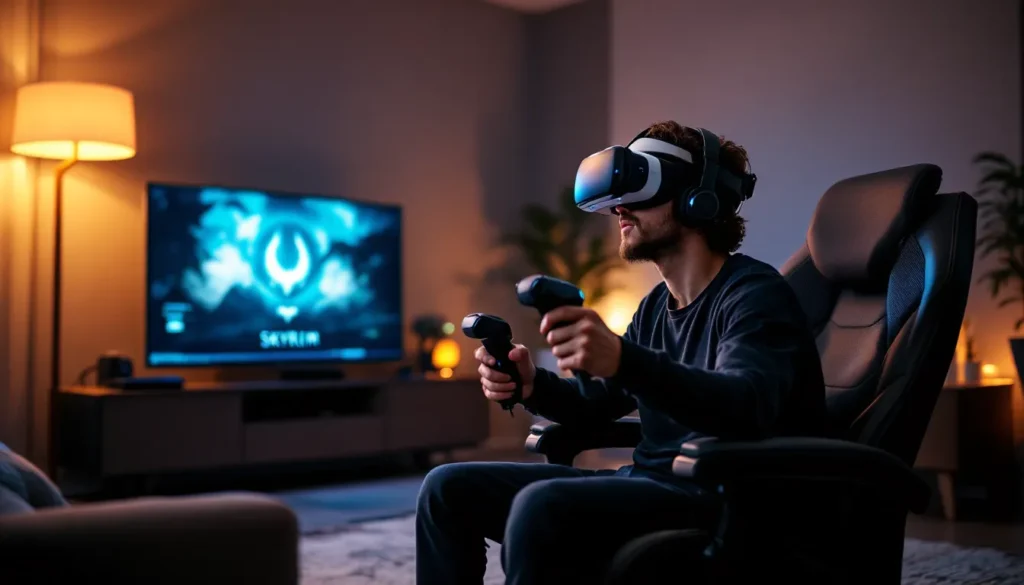
Table of Contents
ToggleSkyrim VR on PlayStation 4 remains one of the most ambitious VR ports ever released, dropping players directly into the boots of the Dragonborn with a full-scale open world to explore. When Bethesda launched it in November 2017, it was a technical gamble, translating hundreds of hours of content into immersive VR. Nearly nine years later, it’s still a surprisingly solid way to experience Tamriel, even if you’re playing on base PS4 hardware.
This guide covers everything from hardware setup to optimal control schemes, graphics expectations, and practical tips for getting the most out of your VR playthrough. Whether you’re a first-time visitor to Skyrim or a veteran looking to experience Helgen’s destruction from a whole new perspective, here’s what you need to know.
Key Takeaways
- PS4 Skyrim VR is a complete open-world RPG port that includes all base content and three major DLC expansions for an immersive 100+ hour experience in Tamriel.
- PlayStation Move controllers deliver superior immersion for archery, magic casting, and melee combat, while DualShock 4 offers comfort and ease of use for extended play sessions.
- PS4 Pro significantly outperforms the standard console with higher resolution, better textures, reduced pop-in, and more stable framerates, making it the recommended hardware choice.
- Proper PSVR setup—including camera positioning, lighting optimization, and cable management—is essential for eliminating tracking issues and motion sickness.
- Skyrim VR’s visual compromises in resolution and draw distance are offset by its sense of presence and scale, making exploration and environmental immersion the game’s strongest elements.
What Is Skyrim VR and How Does It Work on PS4?
Skyrim VR is a full VR conversion of The Elder Scrolls V: Skyrim Special Edition, built specifically for PlayStation VR. Unlike some VR experiences that offer bite-sized content, this is the entire base game, main questline, faction quests, side missions, exploration, crafting, and all the cheese wheels you can hoard.
The game runs exclusively on PlayStation VR (PSVR) hardware and requires a PS4 or PS4 Pro console. It launched as version 1.0 and has received several patches addressing tracking issues and control refinements, with the most recent update being patch 1.05.
System Requirements and What’s Included
Here’s what you need to play:
- PlayStation 4 (standard or Pro)
- PlayStation VR headset with processor unit
- PlayStation Camera (required for tracking)
- PlayStation Move controllers (highly recommended) or DualShock 4
- Approximately 15GB of storage space
Skyrim VR includes all three major DLC expansions: Dawnguard, Hearthfire, and Dragonborn. You’re getting the full Special Edition content without needing separate purchases. The package mirrors the 2016 remaster’s visual upgrades over the original 2011 release, enhanced lighting, god rays, dynamic depth of field, though some features are scaled back in VR to maintain framerate.
Differences Between PS4 Standard and PS4 Pro Performance
The performance gap between base PS4 and PS4 Pro is noticeable but not dealbreaking.
PS4 Standard:
- Runs at approximately 1920×1080 per eye (lower resolution with reprojection)
- More aggressive LOD (level of detail) scaling
- Texture pop-in is common, especially when turning quickly
- Locked 60fps with occasional dips in dense areas like Riften
- Draw distance for foliage and NPCs is noticeably reduced
PS4 Pro:
- Higher native resolution with improved supersampling
- Better texture quality and fewer pop-in issues
- Extended draw distance for environmental details
- More stable framerate in cities and during combat encounters
- Sharper image overall, reducing the “screen door effect”
Both versions maintain VR’s critical 60fps target through reprojection to 120Hz, but Pro owners get a cleaner, less blurry image. If you’re prone to motion sickness, the Pro’s improved visual stability helps.
Setting Up Skyrim VR: Installation and Initial Configuration
Getting into Skyrim VR requires proper hardware setup before you even launch the game. PSVR’s tracking system is sensitive to lighting and camera placement, so taking time here pays off.
PlayStation VR Hardware Setup
If you’re new to PSVR, follow this sequence:
- Connect the PSVR processor unit to your PS4 via HDMI and USB
- Position the PlayStation Camera 4-6 feet from your play area, angled slightly downward
- Place the camera at or slightly above head height when seated (if playing seated) or chest height (if playing standing)
- Run the PSVR initial setup from the PS4 settings menu to calibrate IPD (interpupillary distance)
- Adjust the headset’s back dial for a snug fit, loose headsets cause drift and blur
The camera needs a clear view of the headset’s tracking lights and the glowing orbs on the Move controllers. Remove any reflective surfaces (mirrors, glossy posters, windows) from the camera’s field of view, as they cause tracking interference.
Optimal Room Setup and Play Space Requirements
Skyrim VR supports both seated and standing play, though standing offers better immersion for archery and magic casting.
Minimum space requirements:
- Seated: Standard chair with 3 feet of clearance in front
- Standing: 6.5 x 5 feet area (slightly smaller than room-scale VR on PC)
Lighting considerations:
- Avoid direct sunlight or bright backlighting behind you
- Dim, even lighting works best, too dark and the camera loses tracking
- LED strip lights can cause interference: turn them off if you experience jitter
Cable management:
The PSVR cable is long but can tangle during 360° turns. Consider these options:
- Use a swivel clip attached to your belt or waistband
- Play seated to minimize cable twist
- Recenter yourself periodically by holding the Options button
Run through the PS4’s “Adjust PlayStation VR Tracking Lights” test before launching Skyrim to verify everything’s registering properly.
Control Schemes: PlayStation Move vs DualShock 4
Skyrim VR supports two control methods, and the choice significantly impacts your experience.
PlayStation Move Controllers for Full Immersion
Move controllers are the default and recommended option. They enable 1:1 hand tracking, letting you physically swing swords, draw bowstrings, and cast spells with hand gestures.
Move controller layout:
- Move button (top): Jump
- Trigger: Attack/interact/activate
- Face buttons (X/O/Square/Triangle): Mapped to inventory, favorites, shout, and sneak
- Direction buttons on sphere controller: Movement (teleport or direct locomotion)
Pros:
- Dual-wielding feels natural, left hand holds a ward, right hand throws fireballs
- Archery is transformed: you physically nock, draw, and release arrows
- Lockpicking uses realistic motion
- Enhanced presence when reaching out to pick up objects
Cons:
- No analog stick means movement is either teleport-based or uses the Move button’s directional input (clunky)
- Menu navigation is slower and less intuitive
- Turning requires snap-turn increments unless you physically rotate (cable issues)
- Some players report hand fatigue during long sessions
Locomotion options with Move:
You can toggle between teleportation and direct movement in the settings. Teleportation reduces motion sickness but breaks immersion. Direct movement with Move controllers uses the direction of your controller for direction, which takes adjustment but feels better once you’re used to it.
DualShock 4 Alternative and When to Use It
The DualShock 4 offers traditional dual-analog control with head-tracking aiming. It’s less immersive but more comfortable for extended play.
When DualShock 4 makes sense:
- You experience significant motion sickness with Move controllers
- You’re playing seated and prioritize comfort
- You want smoother, analog-based movement and camera control
- Menu management and inventory sorting is critical (crafting sessions, alchemy)
Aiming and combat:
With DualShock 4, you aim with head tracking. Where you look is where your weapon or spell targets. Melee combat loses the physicality of swinging, replaced with button presses. It’s functional but strips away much of VR’s appeal.
Most players recommend starting with Move controllers for at least the first few hours. If motion sickness or control frustration becomes an issue, switch to DualShock 4 for specific activities like dungeon crawling or crafting.
Gameplay Experience: What to Expect in VR
Playing Skyrim in VR fundamentally changes how the game feels. Mechanics that were routine on a flat screen become visceral, while others reveal limitations in VR translation.
Combat and Magic Casting in Virtual Reality
Melee combat with Move controllers is satisfying but imprecise. Swinging your hand triggers attack animations, but the game doesn’t track swing speed or direction, it’s gesture-based activation rather than physics-driven combat. Power attacks require holding the trigger while swinging harder, which the game detects inconsistently.
Archery is where VR shines. You physically reach over your shoulder to grab an arrow, nock it, draw the string back, and aim down the shaft. Arrow trajectory follows your hand position and release timing. Hitting a distant draugr with a perfectly aimed headshot in VR feels exponentially more rewarding than clicking a mouse.
Magic casting turns you into a proper mage. Pointing your left hand and unleashing flames while holding a ward in your right creates a tactile connection. Dual-casting destruction spells, bringing both hands together to charge a massive fireball, is spectacular. Summoning atronachs by raising your hands feels appropriately mystical.
Shouts are voice-activated (optional) or button-triggered. Voice activation works inconsistently due to PSVR’s microphone quality, so most players stick with button input.
Exploration and Environmental Immersion
Skyrim’s world was always impressive, but VR adds scale. Standing at the base of the Throat of the World and looking up drives home just how massive it is. Ancient Nordic ruins feel genuinely claustrophobic. The auroras over Winterhold are breathtaking when you can look up and around naturally.
Environmental details pop:
- Butterflies and insects flit past at eye level
- Snowflakes drift convincingly in three dimensions
- NPCs tower over you or seem small depending on their actual height
- Clutter on tables, books, potions, utensils, has physical presence
Many reviewers, including those at GameSpot, have noted that exploration becomes the game’s strongest element in VR. Hiking from Whiterun to Riften isn’t a chore: it’s sightseeing.
UI and menus still use the flat interface projected in 3D space. It works, but sorting through hundreds of items in your inventory is tedious. The favorites menu becomes essential for quick access to potions and frequently used gear.
Managing Motion Sickness and Comfort Settings
Skyrim VR offers extensive comfort options because motion sickness is a real concern, especially during the first few sessions.
Key comfort settings:
- Locomotion type: Direct movement vs. teleportation
- Turning mode: Snap-turn increments (15°, 30°, 45°) or smooth turning
- Vignette effect: Blinders that narrow your field of view during movement (reduces nausea)
- Movement speed reduction: Slower movement helps some players
Tips to minimize motion sickness:
- Start with teleportation and snap-turning, then gradually transition to smooth movement
- Enable the vignette effect initially, then reduce it as you acclimate
- Take breaks every 30-45 minutes
- Use a fan to create airflow (reduces disorientation)
- Avoid strafing and backpedaling, turn your body instead of using controller inputs
- Ginger candies or anti-nausea wristbands help some players
If you start feeling queasy, stop immediately. Pushing through makes it worse and can condition your brain to associate VR with nausea. Comfort settings like VR gaming accessories such as prescription lens inserts or better headphone setups can improve the overall experience and reduce fatigue.
Graphics and Visual Quality on PS4
Skyrim VR on PS4 makes visual sacrifices to maintain the performance necessary for a comfortable VR experience. Understanding what’s been dialed back helps set realistic expectations.
Resolution and Draw Distance Considerations
The base PS4 renders Skyrim VR at a lower resolution than the flat Special Edition, with additional reprojection techniques to hit the required framerate. The result is a softer, slightly blurrier image than you’d see on a monitor.
Visual downgrades include:
- Reduced shadow quality and distance
- Lower-resolution textures for distant objects
- Simplified lighting effects (fewer dynamic light sources)
- Aggressive LOD transitions, trees and structures pop in noticeably
- Draw distance for NPCs and wildlife is shorter
What’s retained:
- Core art direction and atmosphere
- Weather effects (fog, rain, snow)
- Aurora effects and skybox details
- Character models at close range
According to technical breakdowns from IGN, the PS4 Pro mitigates many of these issues with higher rendering resolution and better texture filtering, but neither version matches the visual fidelity of pancake Skyrim on a decent gaming PC.
Visual Compromises vs Immersion Benefits
Even though the downgrades, the immersion factor compensates for most players. Standing inside Dragonsreach and looking up at the vaulted ceiling, or peering over the edge of a cliff into the valley below, creates a sense of presence that high-resolution textures can’t replicate on a flat screen.
The trade-off equation:
- You lose: Crisp textures, distant detail, advanced lighting effects
- You gain: Scale, depth perception, spatial presence, 360° environmental awareness
Blurriness is most noticeable in text and UI elements. Reading books or skill descriptions requires focusing and sometimes leaning in. The PSVR’s lower resolution compared to modern VR headsets (Quest 3, PSVR2) is the limiting factor here, not the game itself.
Screen door effect (visible pixel grid) is present but manageable. It’s more apparent when looking at the sky or uniform surfaces. Most players report they stop noticing it after 20-30 minutes of play.
Essential Tips for New Skyrim VR Players
Jumping into Skyrim VR differs enough from the base game that some strategies need rethinking. These tips will smooth out the early hours.
Best Character Builds for VR Gameplay
Certain playstyles translate better to VR than others. Here’s what works:
Archer builds:
VR archery is so satisfying that stealth archer becomes even more dominant. Focus on:
- Archery (obviously)
- Sneak for stealth multipliers
- Light Armor for mobility
- Alchemy for poison-tipped arrows
The physicality of drawing a bow makes every shot feel earned. Combine with the Slow Time shout for cinematic moments.
Spellsword/Battle Mage:
Dual-wielding with one spell and one weapon feels natural with Move controllers:
- Destruction in one hand (preferably flames or lightning for visual spectacle)
- One-handed weapon or Restoration in the other
- Alteration for defensive spells (wards work beautifully in VR)
What to avoid:
Two-handed weapons feel awkward because the game doesn’t require or track two-handed grips. Shield-and-sword works better due to the natural separation of defensive and offensive hands.
Optimizing Settings for Maximum Comfort
Beyond the comfort settings mentioned earlier, these tweaks improve the experience:
Graphics settings:
- Turn off or reduce motion blur (in PS4 settings, not in-game)
- Keep brightness slightly higher than you would on a TV, dark dungeons in VR can be oppressively black
Audio settings:
- Use headphones (the PSVR headset supports 3D audio)
- Increase subtitles size if you’re relying on them
Gameplay settings:
- Enable auto-save more frequently (VR sessions tend to be shorter)
- Reduce difficulty by one notch from what you’d normally play, combat is harder when you’re physically managing it
- Turn on the aiming laser for magic (shows where your spell will land)
Navigation and UI Tips for VR
The UI wasn’t designed for VR, so working around its quirks is necessary.
Map usage:
The world map is projected in front of you, but manipulating it with Move controllers is clunky. Rely more on your compass and in-world landmarks. The local map (when inside buildings) is easier to read.
Inventory management:
- Favorite everything you use regularly (potions, commonly swapped weapons, shouts)
- Sort inventory by weight or value when looting to quickly identify what’s worth taking
- Drop items by holding the trigger rather than selecting “drop” in menus
Looting and interaction:
With Move controllers, you can physically reach out and grab items. This is immersive but slower than menu looting. For efficiency, use the standard activate/take prompt rather than trying to grab every item individually.
Quest tracking:
The quest marker system works the same as pancake Skyrim, but looking up and around to find the marker in 3D space takes adjustment. Use your compass religiously.
DLC Content and Game Completeness
Skyrim VR includes the complete Special Edition package with all three major DLC expansions fully integrated.
Dawnguard adds the Vampire Lord and Dawnguard faction questlines, plus crossbows. Transforming into a Vampire Lord in VR is surreal, hovering above the ground with clawed hands extended is genuinely eerie. The Soul Cairn’s otherworldly atmosphere benefits from VR’s depth.
Dragonborn takes you to Solstheim, adding another landmass, dragon riding, and the Miraak storyline. Dragon riding isn’t as cool as it sounds, you’re essentially a passenger with limited control, but the ash-covered landscape of Solstheim feels appropriately desolate in VR.
Hearthfire enables home building. While not action-packed, furnishing your house and arranging objects by physically placing them has a weird appeal. It’s virtual interior decorating with actual spatial awareness.
All Creation Club content from the Special Edition is absent unless you previously owned it on the same PSN account. Skyrim VR is treated as a separate title, so mods and Creation Club purchases don’t carry over. The PS4 version supports mods, but they’re limited compared to PC and can cause stability issues in VR. Most players recommend playing vanilla first.
If you’re looking to experiment further, resources like Skyrim console commands aren’t accessible on PS4, since Bethesda disabled the console for PlayStation versions.
Common Issues and Troubleshooting Solutions
Skyrim VR on PS4 has some recurring technical hiccups. Here’s how to address them.
Tracking Problems and Camera Positioning
Issue: Controllers drift, lose tracking, or jitter during gameplay.
Solutions:
- Ensure the PlayStation Camera has an unobstructed view of the headset and Move controllers
- Eliminate reflective surfaces and adjust room lighting (dim but not dark)
- Recalibrate tracking lights via PS4 Settings > Devices > PlayStation VR > Adjust Tracking Lights
- Move the camera closer or farther from your play area, sweet spot is usually 5-6 feet
- If one controller drifts consistently, check its battery level and try resetting it (pinhole button on the back)
Issue: Headset view drifts (world slowly rotates or shifts).
Solutions:
- Hold the Options button to recenter your view
- Restart the PS4 and PSVR processor unit
- Ensure no bright light sources (windows, lamps) are behind you
- Update the PS4 system software and Skyrim VR to the latest patch (1.05 as of 2026)
Audio and Display Glitches
Issue: Audio cuts out or becomes distorted.
Solutions:
- Check all PSVR cable connections (HDMI, USB, headphone jack)
- Try a different HDMI cable between the processor unit and TV
- Disable any audio processing features on your TV or receiver
- Restart the game
Issue: Screen flickers, blacks out momentarily, or shows static.
Solutions:
- This is usually an HDMI handshake issue. Power cycle the PSVR processor unit (turn it off, wait 30 seconds, turn it back on)
- Swap to a high-quality HDMI 2.0 cable
- Check that the processor unit’s firmware is up to date
Issue: Frame rate drops or stuttering.
Solutions:
- Close all background applications on the PS4 (Spotify, YouTube, etc.)
- Rebuild the PS4 database (boot into Safe Mode and select option 5)
- On PS4 Pro, ensure Boost Mode is enabled for better performance
Several community-recommended fixes and performance analyses can be found in gaming coverage from outlets like Push Square, which regularly updates PlayStation VR tips.
Is Skyrim VR on PS4 Worth It in 2026?
The value proposition depends on what you’re looking for and what hardware you have access to.
It’s worth it if:
- You already own a PSVR setup (the game frequently goes on sale for $15-30)
- You’ve never played Skyrim and want the most immersive first experience
- You’re curious about full-scale open-world VR and don’t have access to PC VR
- You prioritize atmosphere and exploration over cutting-edge graphics
- You have a PS4 Pro for the improved visual experience
It’s harder to recommend if:
- You’ve completed Skyrim multiple times and want a dramatically different experience (it’s still Skyrim, just in VR)
- You’re very sensitive to motion sickness and haven’t built VR tolerance
- You’re playing on base PS4 and are bothered by visual compromises
- You have access to PC VR and can mod Skyrim VR extensively (PC version offers far more customization)
- You own or are considering PSVR2, backward compatibility exists, but the game isn’t optimized for the new hardware
The competition in 2026:
Skyrim VR still holds up as one of the most content-rich VR experiences available. Games like Resident Evil Village VR and Horizon Call of the Mountain offer better graphics, but nothing matches Skyrim’s sheer scale and freedom. It remains the benchmark for “full game in VR” rather than “VR experience.”
Price factor:
Skyrim VR typically retails around $30-40 but drops to $15-20 during sales. At sale price, it’s an easy recommendation for anyone with PSVR. At full price, it’s still reasonable given you’re getting a 100+ hour RPG.
If you’re debating between this and waiting for an eventual remaster or PSVR2 native version, Bethesda hasn’t announced any plans for further VR Skyrim releases. What exists now is likely what you’ll have for the foreseeable future.
Conclusion
Skyrim VR on PS4 is an impressive achievement with clear limitations. It won’t replace the visual fidelity of a high-end PC playthrough, and the PSVR hardware shows its age in 2026. But the core experience, standing in Tamriel, drawing a bow with your own hands, looking up at a dragon circling overhead, remains compelling.
For PSVR owners, it’s one of the headset’s essential titles. For newcomers to Skyrim, it offers a genuinely different way to experience one of gaming’s most beloved RPGs. Just manage your expectations around graphics, be patient with the control scheme learning curve, and give yourself time to build VR tolerance.
Once everything clicks, wandering through Skyrim in VR delivers moments no flat-screen version can match. That first time you absent-mindedly reach out to pick up a health potion mid-combat, or turn your head to track an arrow’s flight, that’s when it works.